Configure "Rationale" metadata for AI-generated items
If configured for a project, the rationale for an item's answer key will be generated by Item Assist and available to item authors (in the Metadata panel of the item editor).
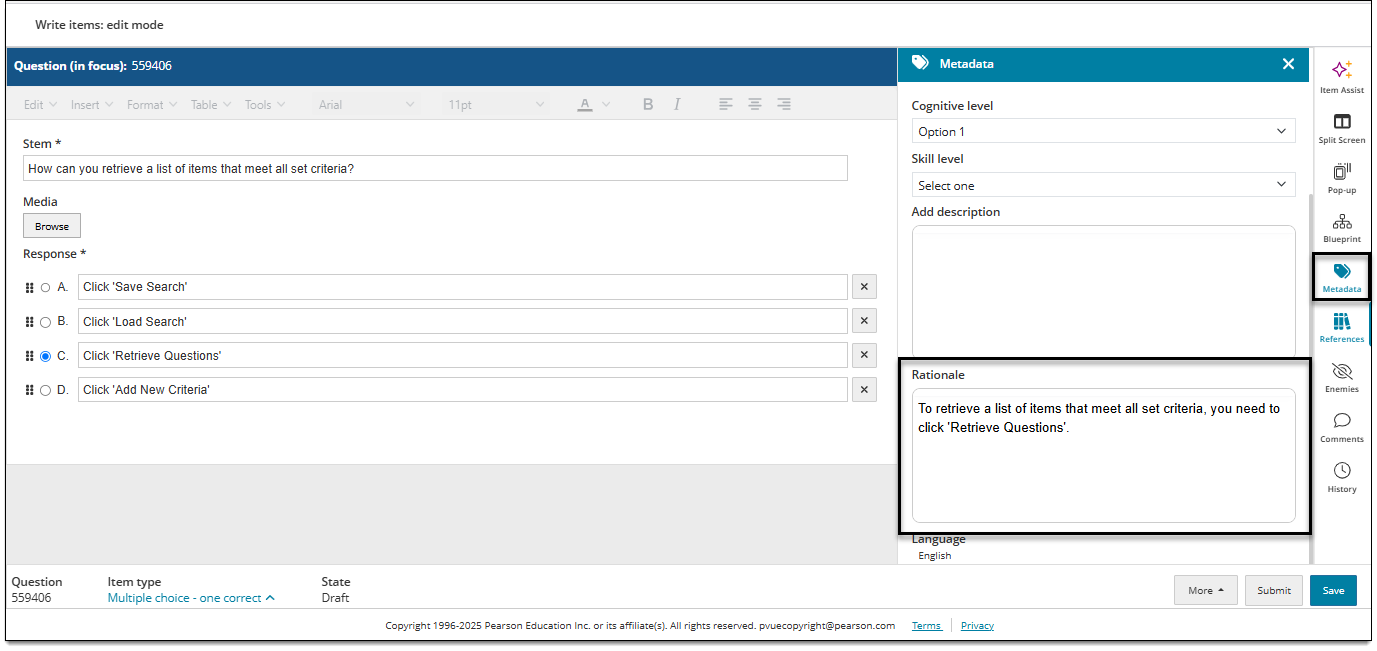
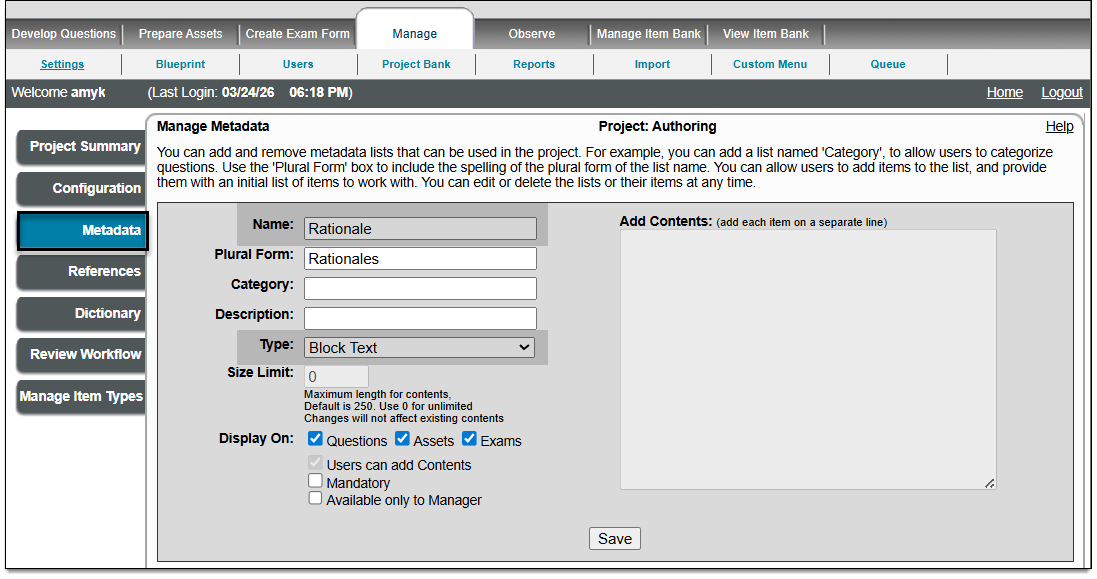
The rationale must be configured for a project by adding a 'block text' metadata field named "Rationale".
 Only one rationale is generated per item.
- Authors will be able to update the rationale text if needed.
- Only items generated after the Rationale metadata is configured for the project will include a rationale. It cannot be added to items that were generated before the Rationale metadata was configured.
Add "Rationale" metadata to your project
- Upon logging into ExamDeveloper, go to Manage > Settings.
- Click the Metadata tab.
- In the Name field, enter "Rationale".
- From the Type menu, select Block Text.
- Leave all other fields as is.
- Click Save.